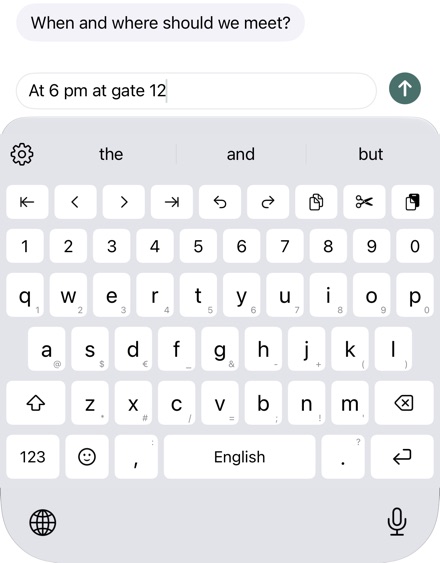
Digits without switching to 123.
On iPhone, the digits of the iOS keyboard sit on a layer of their own: first tap 123, then the digit. Kyrrkey has two shorter ways.
Number Row
A row with the digits 1 to 0 above the letters. Turn it on in the keyboard under the gear › “Look and Sound” › “Number Row”.
Digits with a swipe
Without a number row the keyboard stays as low as usual: a swipe down on the top row of letters types 1 to 0, on the other keys symbols such as @, # or /. The symbols are printed small on the keys. A swipe up gives the capital letter.
Arrow keys and undo
The editing bar shows keys at the very top for the cursor, undo and redo, with Full Access also for copy, cut and paste. Turn it on under the gear › “Look and Sound” › “Editing Bar”.
Try it
The number row, swipe characters and the editing bar are part of the full version. Try everything free for 30 days, with no subscription and no payment details. Then buy once, with Family Sharing.