A keyboard that sends nothing.
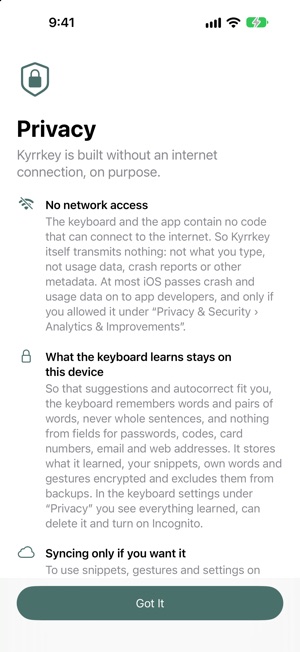
A keyboard sees almost everything you write: messages, notes, searches. That is why Kyrrkey contains no code that can connect to the internet.
What Full Access allows
On iOS, third-party keyboards start out sealed off, without the internet. Only the switch “Allow Full Access” gives them more: haptics, the clipboard, iCloud Keychain and also the internet. iOS does not grant these rights separately. Some keyboards use the internet for features such as translation, search or accounts.
Kyrrkey doesn’t need it
Typing, suggestions, autocorrect, swipe typing, what it learns and snippets work without Full Access. Even with Full Access, Kyrrkey does not go online: the app and the keyboard contain no networking code, and the finished app is checked for it before every release. Kyrrkey uses Full Access only for haptics and custom sounds, copy and paste, and syncing between your devices, which iOS handles itself with end-to-end encryption.
What stays on the device
Suggestions and autocorrect learn from your writing. What they learn and your snippets are encrypted on the device and excluded from backups. In fields for one-time codes, credit cards and user names, and in incognito mode, Kyrrkey learns nothing; in password fields iOS uses its own keyboard anyway. You can see and delete what it has learned in the keyboard’s settings.
Check it yourself
In iOS Settings, under “Privacy & Security”, turn on the “App Privacy Report”. There iOS shows which app connects when. Kyrrkey shows no network activity there.
And the iOS keyboard?
Apple’s iOS keyboard is designed for privacy too. Kyrrkey is for everyone who wants more features without opening the internet to a keyboard.